How to play a custom map from someone else
- The map creator needs to upload the map and give it a name (see steps below)
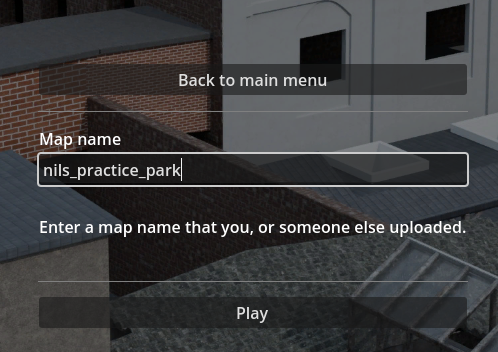
- Once uploaded, enter the same name on the "Custom lobby" screen and hit play
- Important: The names need to match, without the -123 version number.
How to create a custom map
To create a custom map, you will need to download and install the Blender 3D editor. https://www.blender.org/
Once installed, find the game in your Steam library, right click and browse local files:
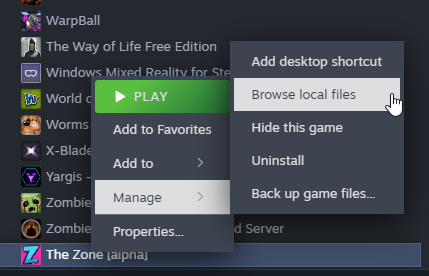
You should see a folder called "custom_map_blender_template"
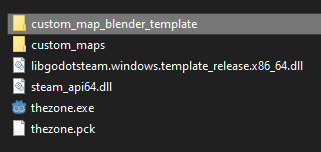
Make a copy of this folder and put it somewhere on your computer, outside of the Steam folder. If you try to edit it inside of the game files it will be overwritten by the next update.
Once copied, open the template.blend file using Blender.
The Template file contains a modified version of the texture files and a few examples of building methods that I like to use.
The textures will look very bad while editing in Blender, but they will be automatically replaced once loaded into the game.
Now you can build a map. If you already know Blender this should be straight forward, and if you're new, I made a little Blender Basics guide.
Exporting the map
Exporting the map and loading it into the game works like this:
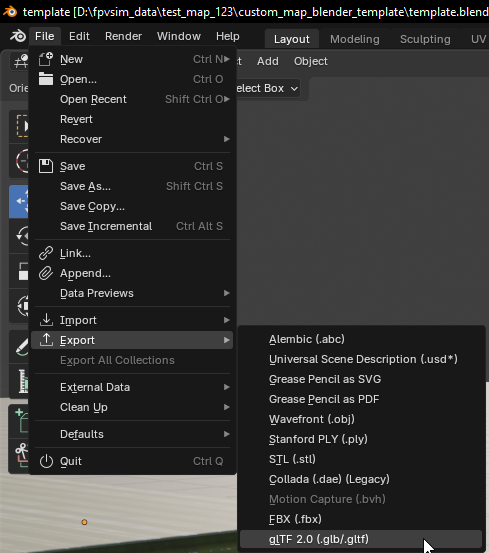
Blender: File -> Export -> glTF
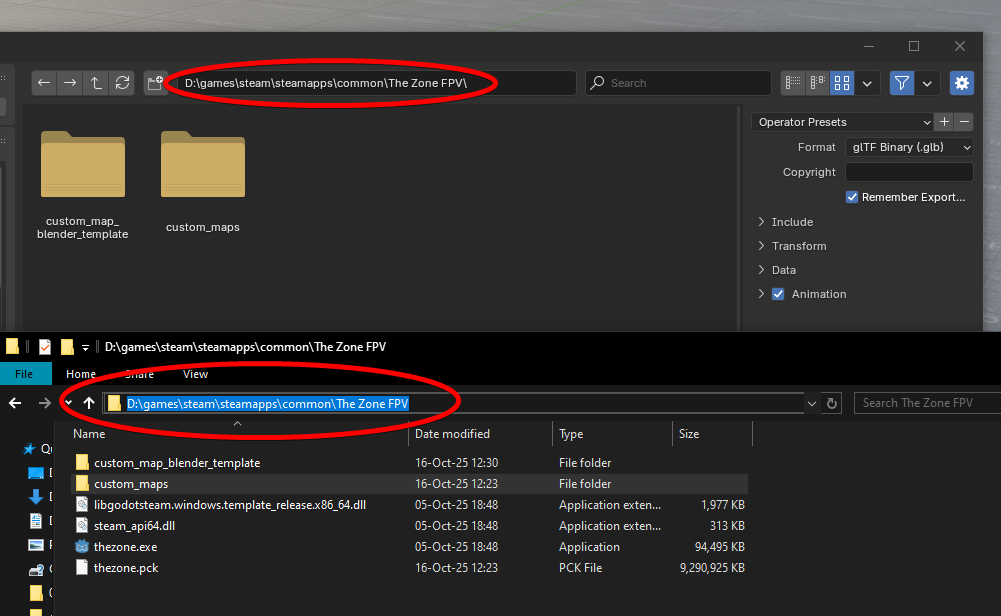
Navigate to the Steam game files (on windows you can copy the path)
Go into the custom_maps folder
Create a new folder with your map name
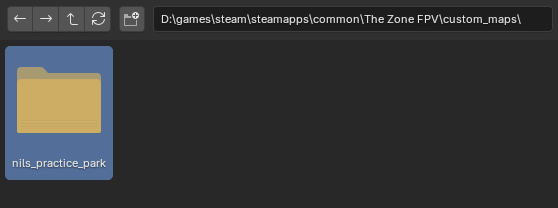
Navigate into the newly created folder
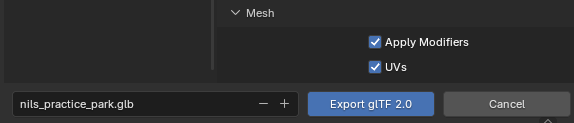
Make sure these export settings are enabled (they should be by default)
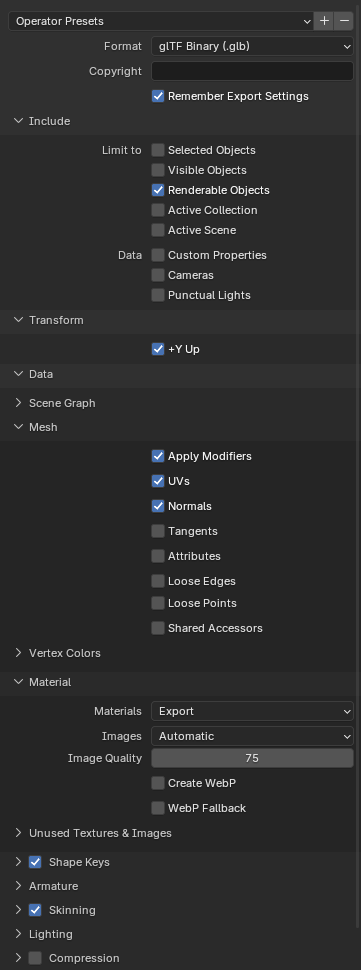
Save the file as .glb, with the exact same name as the folder you created
If you now open the game and go to the "Play Offline" screen, it should show up as a custom map
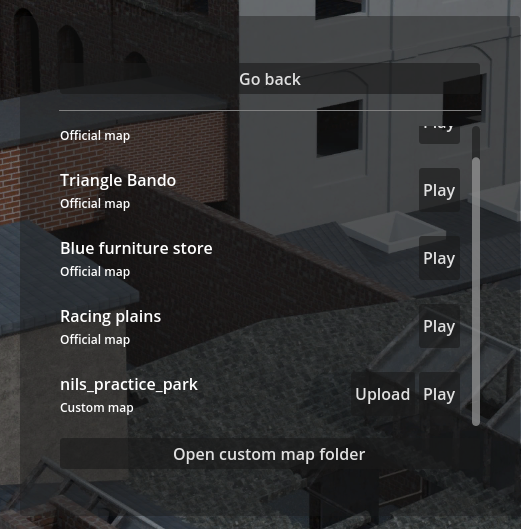
Now you can playtest it and make sure everything looks good, before continuing to the next step
Uploading the map
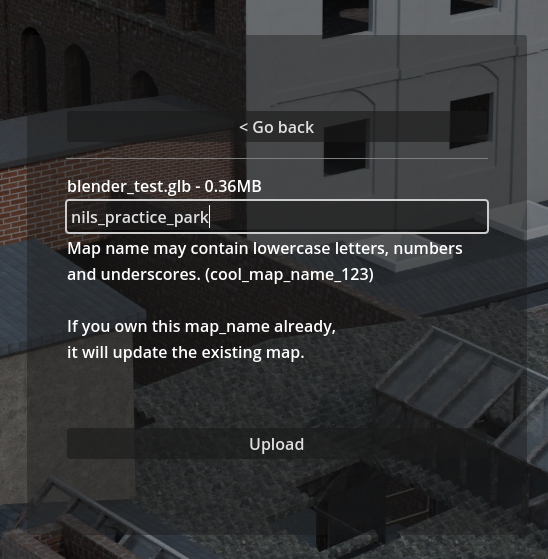
Uploading a map is very easy, just click the "Upload" button, and enter a name for your map.
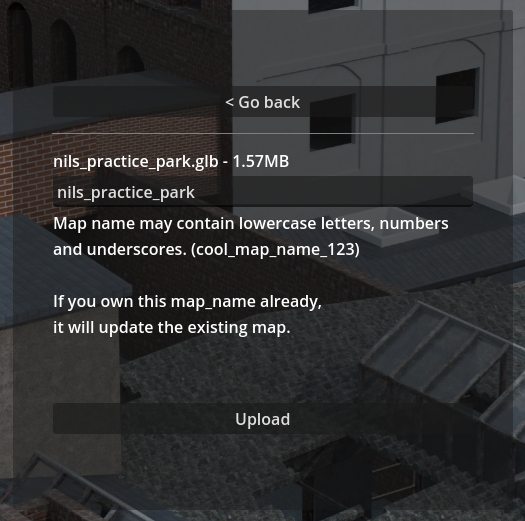
By default it will use the name of the file, but you can also rename it to something else.
Map names need to be unique and you can claim ownership of a name by being the first person to upload.
Then simply press upload at the bottom
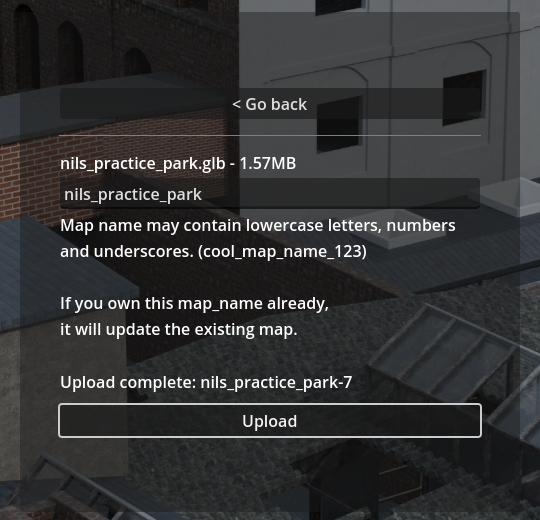
To then play the newly uploaded map online, enter the same map_name into the "Custom lobby" screen like so
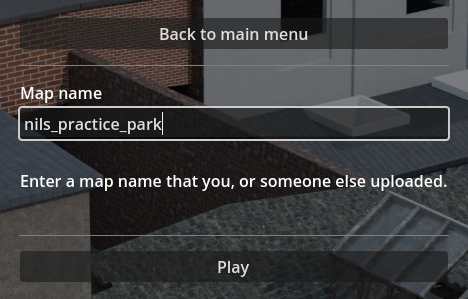
and press play.
You can also share the map_name with your friends if you want to play online together.
Getting your map featured on the main server list
If you created a high quality map, I can also then add it as an "official" map, visible in the main "Play" screen